Build a simple photo uploader with Expo (React Native) and Firebase Storage. A Python Cloud Function automatically removes sensitive EXIF metadata (GPS, camera details) from each image after upload.
What you'll build
- An Expo app that picks an image from the library.
- Direct uploads to Firebase Storage.
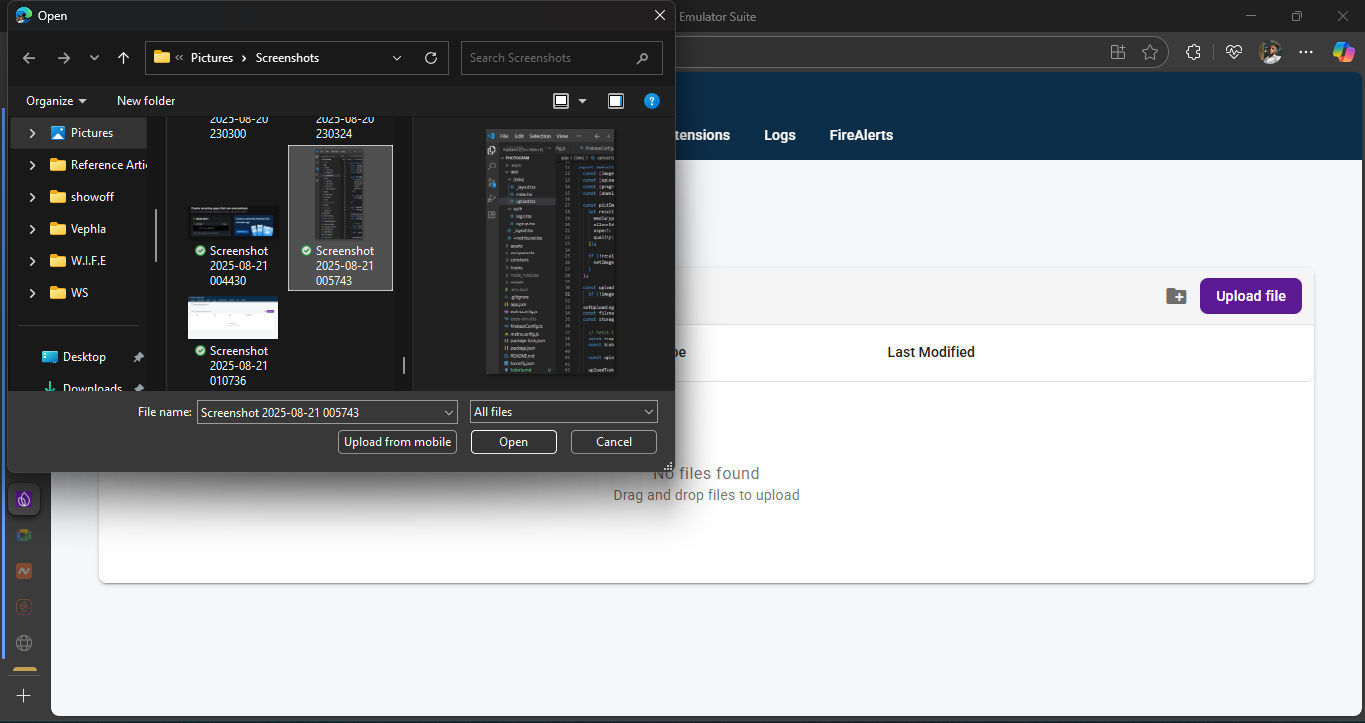
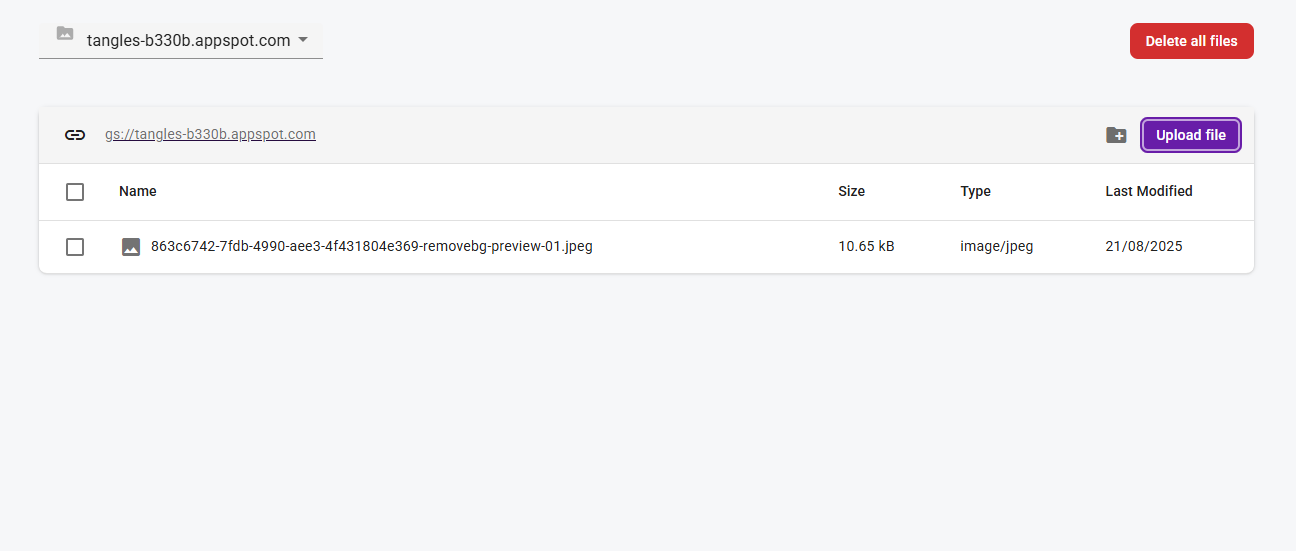
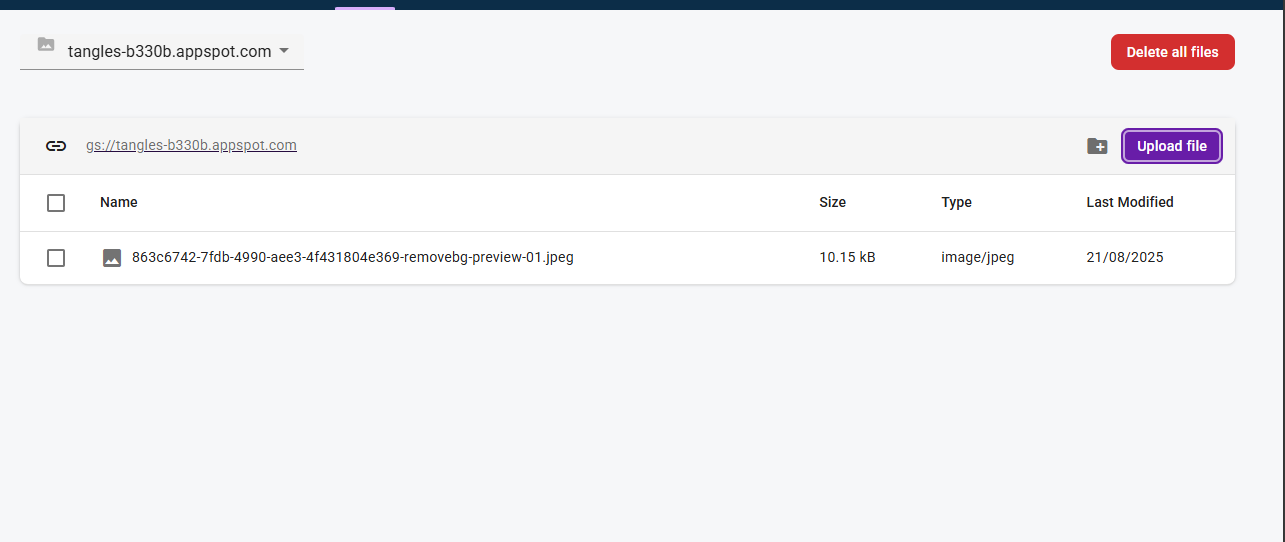
- A Python Cloud Function that strips EXIF metadata and re-uploads a sanitized image.
Prerequisites
- Node.js
- Expo CLI (install with:
npm install -g expo-cli) - Firebase CLI (install with:
npm install -g firebase-tools) - A Firebase project in the Firebase Console
- Python (for the Cloud Function)
- A code editor like VS Code
- Open your project in the Firebase Console.
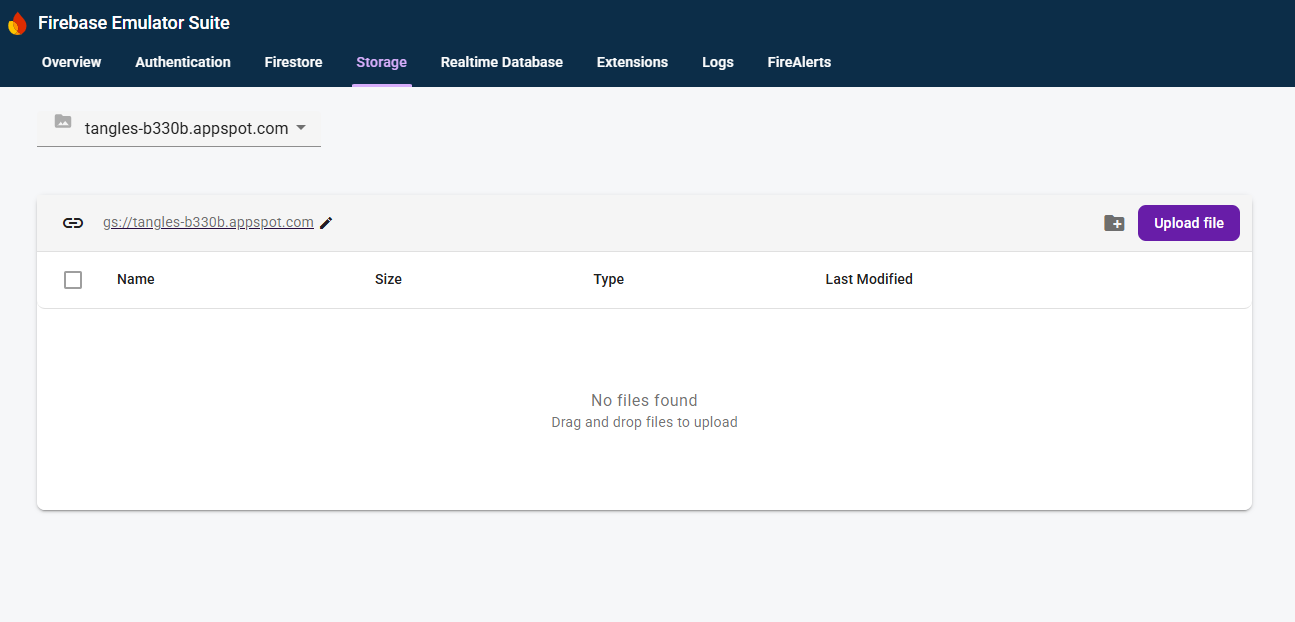
- Go to Storage and click "Get Started" to create a default bucket.
- For this tutorial, relax the Storage rules (don't use this in production):
rules_version = '2';
service firebase.storage {
  match /b/{bucket}/o {
    match /{allPaths=**} {
      allow read, write: if true; // Warning: insecure for production
    }
  }
}
From your project root (for example, photogram-project):
# Log in to Firebase
firebase login

# Initialize Firebase in this directory
firebase init
When prompted, select Functions and Storage, pick your Firebase project, and choose Python for Functions. This creates a functions/ directory.
Edit functions/requirements.txt and add Pillow along with Firebase libraries:
firebase-functions
firebase-admin
Pillow
Replace functions/main.py with the following:
import os
import tempfile
from PIL import Image

import firebase_admin
from firebase_functions import storage_fn
from firebase_admin import storage

firebase_admin.initialize_app()


@storage_fn.on_object_finalized()
def remove_exif(event: storage_fn.CloudEvent[storage_fn.StorageObjectData]):
    """Trigger on new file uploads to remove EXIF data from images."""

    bucket_name = event.data.bucket
    file_path = event.data.name
    content_type = event.data.content_type

    # Exit if not an image or if already processed
    if not content_type or not content_type.startswith("image/"):
        print(f"File '{file_path}' is not an image. Skipping.")
        return

    if event.data.metadata and event.data.metadata.get("processed") == "true":
        print(f"Image '{file_path}' has already been processed. Skipping.")
        return

    print(f"Processing image: {file_path}")

    bucket = storage.bucket(bucket_name)
    source_blob = bucket.blob(file_path)

    _, temp_local_path = tempfile.mkstemp()

    try:
        source_blob.download_to_filename(temp_local_path)

        with Image.open(temp_local_path) as img:
            img_data = list(img.getdata())
            img_no_exif = Image.new(img.mode, img.size)
            img_no_exif.putdata(img_data)
            img_no_exif.save(temp_local_path, format=img.format)
            print("EXIF data removed successfully.")

        destination_blob = bucket.blob(file_path)
        new_metadata = {"contentType": content_type, "processed": "true"}
        destination_blob.metadata = new_metadata
        destination_blob.upload_from_filename(temp_local_path, content_type=content_type)
        print(f"Sanitized image uploaded to '{file_path}'.")

    finally:
        os.remove(temp_local_path)
        print("Cleaned up temporary file.")

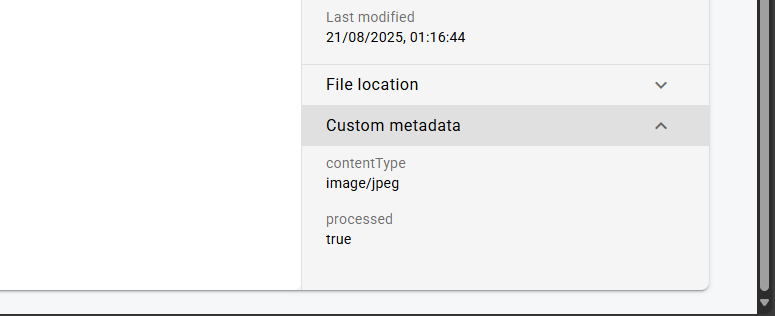
From the project root:
firebase deploy --only functions
Your backend is now live and waiting for uploads.
expo init photogram-app
# choose the blank template
cd photogram-app

# create app
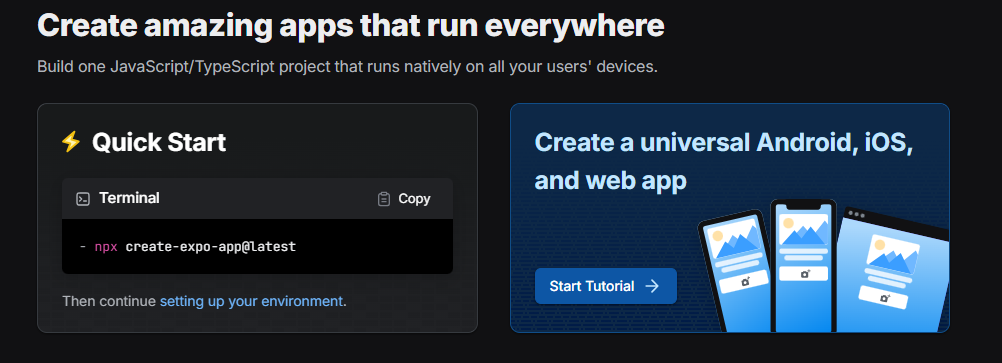
npx create-expo-app@latest

# install required packages
expo install firebase expo-image-picker
In Firebase Console → Project settings → Your apps, register a Web app and copy the firebaseConfig object. Create firebaseConfig.js in your Expo project:
import { initializeApp } from 'firebase/app';
import { getStorage } from 'firebase/storage';

// Your web app's Firebase configuration
const firebaseConfig = {
  apiKey: 'AIza...',
  authDomain: 'your-project-id.firebaseapp.com',
  projectId: 'your-project-id',
  storageBucket: 'your-project-id.appspot.com',
  messagingSenderId: '...',
  appId: '...'
};

// Initialize Firebase
const app = initializeApp(firebaseConfig);
const storage = getStorage(app);

export { storage };
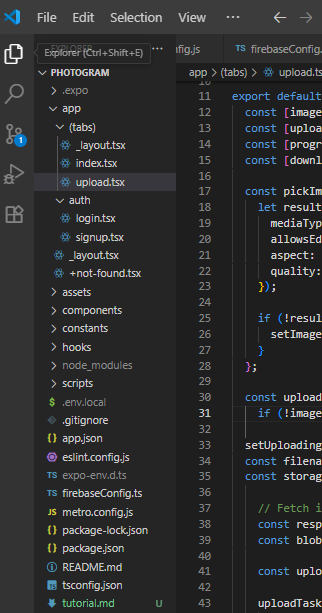
The following snippets show one way to add email/password auth with Expo Router, store files per user (photos/{uid}/...), and list recent uploads.
Firebase config (TypeScript)
// firebaseConfig.ts
import { initializeApp } from 'firebase/app';
import { getReactNativePersistence, initializeAuth } from 'firebase/auth';
import { getFirestore } from 'firebase/firestore';
import { getStorage } from 'firebase/storage';
import AsyncStorage from '@react-native-async-storage/async-storage';

const firebaseConfig = {
  apiKey: process.env.EXPO_PUBLIC_API_KEY,
  authDomain: process.env.EXPO_PUBLIC_AUTH_DOMAIN,
  projectId: process.env.EXPO_PUBLIC_PROJECT_ID,
  storageBucket: process.env.EXPO_PUBLIC_STORAGE_BUCKET,
  messagingSenderId: process.env.EXPO_PUBLIC_MESSAGING_SENDER_ID,
  appId: process.env.EXPO_PUBLIC_APP_ID,
};

const app = initializeApp(firebaseConfig);

export const auth = initializeAuth(app, {
  persistence: getReactNativePersistence(AsyncStorage),
});

export const storage = getStorage(app);
export const db = getFirestore(app);
export { app };
Login and Signup screens
// app/auth/login.tsx
import { ThemedText } from '@/components/ThemedText';
import { ThemedView } from '@/components/ThemedView';
import { app } from '@/firebaseConfig';
import { router } from 'expo-router';
import { getAuth, signInWithEmailAndPassword } from 'firebase/auth';
import { useState } from 'react';
import { Pressable, StyleSheet, TextInput } from 'react-native';

export default function LoginScreen() {
  const [email, setEmail] = useState('');
  const [password, setPassword] = useState('');
  const [error, setError] = useState('');

  const auth = getAuth(app);

  const handleLogin = async () => {
    try {
      await signInWithEmailAndPassword(auth, email, password);
      router.replace('/(tabs)');
    } catch (err: any) {
      setError(err.message);
    }
  };

  return (
    <ThemedView style={styles.container}>
      <ThemedText type="title" style={styles.title}>
        Welcome Back 👋
      </ThemedText>

      <TextInput
        style={styles.input}
        placeholder="Email"
        placeholderTextColor="#999"
        value={email}
        onChangeText={setEmail}
        autoCapitalize="none"
        keyboardType="email-address"
      />
      <TextInput
        style={styles.input}
        placeholder="Password"
        placeholderTextColor="#999"
        value={password}
        onChangeText={setPassword}
        secureTextEntry
      />

      {error ? <ThemedText style={styles.error}>{error}</ThemedText> : null}

      <Pressable style={styles.button} onPress={handleLogin}>
        <ThemedText style={styles.buttonText}>Login</ThemedText>
      </Pressable>

      <Pressable onPress={() => router.push('/auth/signup')}>
        <ThemedText style={styles.linkText}>
          Don't have an account? Sign Up
        </ThemedText>
      </Pressable>
    </ThemedView>
  );
}

const styles = StyleSheet.create({
  container: { flex: 1, justifyContent: 'center', padding: 20 },
  title: { marginBottom: 20, textAlign: 'center' },
  input: { borderWidth: 1, borderColor: '#ccc', padding: 12, marginBottom: 12, borderRadius: 8 },
  error: { color: 'red', marginBottom: 10 },
  button: { backgroundColor: '#007AFF', padding: 14, borderRadius: 8, marginBottom: 16 },
  buttonText: { color: '#fff', textAlign: 'center', fontWeight: '600' },
  linkText: { textAlign: 'center', color: '#007AFF', marginTop: 8 },
});
// app/auth/signup.tsx
import { ThemedText } from '@/components/ThemedText';
import { ThemedView } from '@/components/ThemedView';
import { app } from '@/firebaseConfig';
import { router } from 'expo-router';
import { createUserWithEmailAndPassword, getAuth } from 'firebase/auth';
import { useState } from 'react';
import { Pressable, StyleSheet, TextInput } from 'react-native';

export default function SignupScreen() {
  const [email, setEmail] = useState('');
  const [password, setPassword] = useState('');
  const [error, setError] = useState('');

  const auth = getAuth(app);

  const handleSignup = async () => {
    try {
      await createUserWithEmailAndPassword(auth, email, password);
      router.replace('/(tabs)');
    } catch (err: any) {
      setError(err.message);
    }
  };

  return (
    <ThemedView style={styles.container}>
      <ThemedText type="title" style={styles.title}>
        Create Account ✨
      </ThemedText>

      <TextInput
        style={styles.input}
        placeholder="Email"
        placeholderTextColor="#999"
        value={email}
        onChangeText={setEmail}
        autoCapitalize="none"
        keyboardType="email-address"
      />
      <TextInput
        style={styles.input}
        placeholder="Password"
        placeholderTextColor="#999"
        value={password}
        onChangeText={setPassword}
        secureTextEntry
      />

      {error ? <ThemedText style={styles.error}>{error}</ThemedText> : null}

      <Pressable style={styles.button} onPress={handleSignup}>
        <ThemedText style={styles.buttonText}>Sign Up</ThemedText>
      </Pressable>

      <Pressable onPress={() => router.push('/auth/login')}>
        <ThemedText style={styles.linkText}>Already have an account? Login</ThemedText>
      </Pressable>
    </ThemedView>
  );
}

const styles = StyleSheet.create({
  container: { flex: 1, justifyContent: 'center', padding: 20 },
  title: { marginBottom: 20, textAlign: 'center' },
  input: { borderWidth: 1, borderColor: '#ccc', padding: 12, marginBottom: 12, borderRadius: 8 },
  error: { color: 'red', marginBottom: 10 },
  button: { backgroundColor: '#34C759', padding: 14, borderRadius: 8, marginBottom: 16 },
  buttonText: { color: '#fff', textAlign: 'center', fontWeight: '600' },
  linkText: { textAlign: 'center', color: '#007AFF', marginTop: 8 },
});
Root layout with auth gate
// app/_layout.tsx
import { useEffect } from 'react';
import { DarkTheme, DefaultTheme, ThemeProvider } from '@react-navigation/native';
import { Stack, router } from 'expo-router';
import { StatusBar } from 'expo-status-bar';
import { useColorScheme } from '@/hooks/useColorScheme';
import { onAuthStateChanged } from 'firebase/auth';
import { auth } from '@/firebaseConfig';

export default function RootLayout() {
  const colorScheme = useColorScheme();

  useEffect(() => {
    const unsubscribe = onAuthStateChanged(auth, (firebaseUser) => {
      if (firebaseUser) router.replace('/(tabs)');
      else router.replace('/auth/login');
    });
    return () => unsubscribe();
  }, []);

  return (
    <ThemeProvider value={colorScheme === 'dark' ? DarkTheme : DefaultTheme}>
      <Stack>
        <Stack.Screen name="(tabs)" options={{ headerShown: false }} />
        <Stack.Screen name="auth/login" options={{ headerShown: false }} />
        <Stack.Screen name="auth/signup" options={{ headerShown: false }} />
        <Stack.Screen name="+not-found" />
      </Stack>
      <StatusBar style="auto" />
    </ThemeProvider>
  );
}
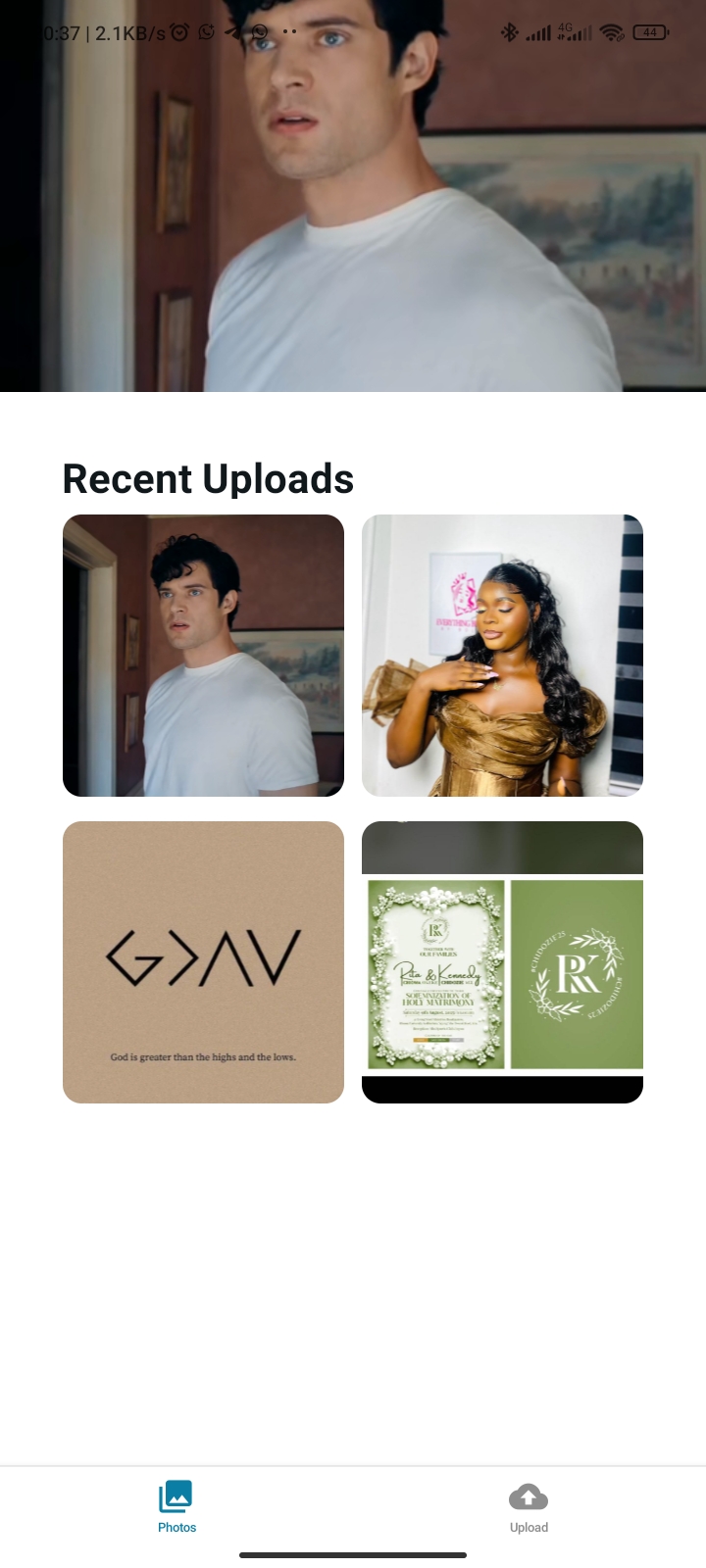
Photos tab (list user uploads)
// app/(tabs)/index.tsx
import { Image } from 'expo-image';
import { useEffect, useState } from 'react';
import { Dimensions, FlatList, StyleSheet } from 'react-native';
import { auth, storage } from '@/firebaseConfig';
import { getDownloadURL, listAll, ref } from 'firebase/storage';
import { ThemedText } from '@/components/ThemedText';
import { ThemedView } from '@/components/ThemedView';

const screenWidth = Dimensions.get('window').width;
const columnWidth = screenWidth / 2.3 - 16;

export default function PhotosScreen() {
  const [photos, setPhotos] = useState<string[]>([]);

  const fetchPhotos = async () => {
    try {
      const listRef = ref(storage, `photos/${auth?.currentUser?.uid}`);
      const result = await listAll(listRef);
      const urls = await Promise.all(result.items.map((item) => getDownloadURL(item)));
      setPhotos(urls);
    } catch (error) {
      console.error('Error fetching photos:', error);
    }
  };

  useEffect(() => { fetchPhotos(); }, [auth?.currentUser?.uid]);

  return (
    <ThemedView style={styles.container}>
      <ThemedText type="title" style={styles.sectionTitle}>Recent Uploads</ThemedText>
      <FlatList
        data={photos}
        keyExtractor={(item, idx) => item || String(idx)}
        numColumns={2}
        columnWrapperStyle={styles.row}
        contentContainerStyle={[styles.listContent, photos.length === 0 && styles.emptyContent]}
        ListEmptyComponent={<ThemedText type="subtitle">No photos yet 📷</ThemedText>}
        renderItem={({ item }) => (
          <Image source={{ uri: item }} style={[styles.photo, { width: columnWidth, height: columnWidth }]} contentFit="cover" />
        )}
      />
    </ThemedView>
  );
}

const styles = StyleSheet.create({
  container: { flex: 1, paddingHorizontal: 8, paddingTop: 10 },
  sectionTitle: { marginBottom: 10, marginLeft: 8 },
  listContent: { paddingHorizontal: 8 },
  row: { justifyContent: 'space-between', marginBottom: 16 },
  emptyContent: { flexGrow: 1, justifyContent: 'center', alignItems: 'center' },
  photo: { borderRadius: 12 },
});
Upload tab (save under user folder)
// app/(tabs)/upload.tsx
import React, { useState } from 'react';
import { TouchableOpacity, Text, Image, StyleSheet } from 'react-native';
import * as ImagePicker from 'expo-image-picker';
import { ref, uploadBytesResumable, getDownloadURL } from 'firebase/storage';
import { auth, storage } from '@/firebaseConfig';
import { ThemedText } from '@/components/ThemedText';
import { ThemedView } from '@/components/ThemedView';
import { router } from 'expo-router';

export default function UploadScreen() {
  const [image, setImage] = useState<string | null>(null);
  const [uploading, setUploading] = useState(false);
  const [progress, setProgress] = useState<number>(0);

  const pickImage = async () => {
    const result = await ImagePicker.launchImageLibraryAsync({
      mediaTypes: ImagePicker.MediaTypeOptions.Images,
      allowsEditing: true,
      aspect: [4, 4],
      quality: 0.8,
    });
    if (!result.canceled) setImage(result.assets[0].uri);
  };

  const uploadImage = async () => {
    if (!image || !auth.currentUser) return;
    setUploading(true);
    const filename = `photos/${auth.currentUser.uid}/${Date.now()}.jpg`;
    const storageRef = ref(storage, filename);

    const response = await fetch(image);
    const blob = await response.blob();
    const uploadTask = uploadBytesResumable(storageRef, blob);

    uploadTask.on(
      'state_changed',
      (snapshot) => setProgress((snapshot.bytesTransferred / snapshot.totalBytes) * 100),
      (error) => { console.error('Upload failed', error); setUploading(false); },
      async () => {
        await getDownloadURL(uploadTask.snapshot.ref);
        setImage(null);
        setProgress(0);
        setUploading(false);
        router.push(`/(tabs)?refresh=${Date.now()}`);
      }
    );
  };

  return (
    <ThemedView style={styles.container}>
      <ThemedText type="title">Upload an Image</ThemedText>
      {image && <Image source={{ uri: image }} style={styles.image} />}
      <TouchableOpacity style={[styles.button, uploading && styles.buttonDisabled]} onPress={pickImage} disabled={uploading}>
        <Text style={styles.buttonText}>Pick Image</Text>
      </TouchableOpacity>
      {image && (
        <TouchableOpacity style={[styles.button, styles.uploadButton, uploading && styles.buttonDisabled]} onPress={uploadImage} disabled={uploading}>
          <Text style={styles.buttonText}>{uploading ? `Uploading... ${progress.toFixed(0)}%` : 'Upload'}</Text>
        </TouchableOpacity>
      )}
    </ThemedView>
  );
}

const styles = StyleSheet.create({
  container: { flex: 1, alignItems: 'center', justifyContent: 'center', padding: 16 },
  image: { width: 250, height: 250, borderRadius: 12, marginVertical: 12 },
  button: { backgroundColor: '#2563eb', paddingVertical: 10, paddingHorizontal: 16, borderRadius: 8, marginTop: 8, minWidth: 140, alignItems: 'center' },
  uploadButton: { backgroundColor: '#10B981' },
  buttonDisabled: { opacity: 0.6 },
  buttonText: { color: '#fff', fontSize: 16, fontWeight: '600' },
});
Metro config (if using Expo Router + Firebase Auth)
// metro.config.js
const { getDefaultConfig } = require('@expo/metro-config');
const defaultConfig = getDefaultConfig(__dirname);
defaultConfig.resolver.sourceExts.push('ts', 'tsx', 'cjs');
defaultConfig.resolver.unstable_enablePackageExports = false;
module.exports = defaultConfig;
npx expo start
Scan qr on expo go app


You built a privacy-first photo uploader with Expo and Firebase:
- Firebase Storage receives uploads from the app.
- A Python Cloud Function strips EXIF metadata and re-uploads a sanitized image.
- The app authenticates users, saves files under their UID, and shows recent uploads.
- Lock down Storage rules to user-scoped paths (for example, only allow
photos/{uid}/**for the signed-in user). - Track uploads in Firestore to show timestamps, sizes, and processing status.
- Generate thumbnails with Pillow (Python) or a separate image-resize function for faster gallery loads.
- Add delete/rename and share links; surface upload and processing errors in the UI.
- In the Firebase Console, remove test files from Storage and revert permissive rules.
- Delete the function if no longer needed:
firebase functions:delete remove_exif --force
- Firebase Storage security rules: https://firebase.google.com/docs/storage/security
- Firebase Functions for Python (Gen 2): https://firebase.google.com/docs/functions/get-started?gen=2&platform=python
- Web Storage SDK (upload from React Native via Expo): https://firebase.google.com/docs/storage/web/start
- Expo Image Picker: https://docs.expo.dev/versions/latest/sdk/imagepicker/